.png?width=400&height=77&name=Atlas-Metrics-Logo-Primary%20(1).png)
Yes, in some cases customers are able to upload data from another external provider. Read more about how and where you can use this functionality:
When Can You use this feature?
You can transfer data to Atlas Metrics from an external software provider if this provider is an approved exporter of the Machine Readable Format MRF format. Approved providers must demonstrate successful implementation of MRF export functionality to be listed on the Invest Europe website, ensuring a seamless data transfer. Find the list of approved providers here.
If your provider cannot export data in a compliant way, manual data entry will be necessary.
What is the machine-readable format?
The Invest Europe machine-readable format (MRF) specifies data semantics and structure required for uploads into the Atlas Metrics System. In 2023, these specifications were first developed and maintained by Atlas Metrics; from 2024 the technical leadership of the MRF lies with Invest Europe in collaboration with Reframe Venture (formerly Venture ESG). Invest Europe & Reframe Venture are responsible for managing the MRF process, enabling consistency and reliability across the platform.
Many data providers have been contacted to encourage them to adopt MRF exports and we encourage you to contact your provider to ask if they have developed it in time for KfW Capital reporting.
How Does the Upload Process Work?
For the 2025 reporting cycle, we’ve introduced new functionality that centralises data uploads within the GP’s account, making it easier and faster to import all of your data into your Atlas account.
1. Confirm Export Capabilities with Your Provider
- Contact your software provider to ensure that you can export data in the correct format.
2. Download Your Data
- Export your data in the MRF format from your current software provider for your GP & Fund data
3. Upload Your GP, Fund, and Portfolio Company Data to the Atlas Platform
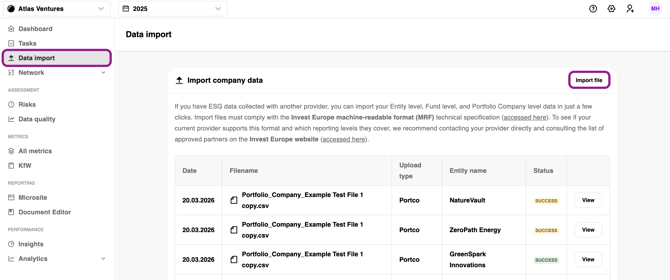
- Navigate to the Data Import tab.
- Select Import File.
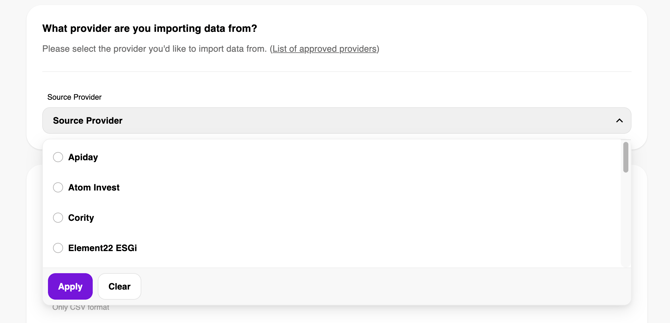
4. Choose your provider.
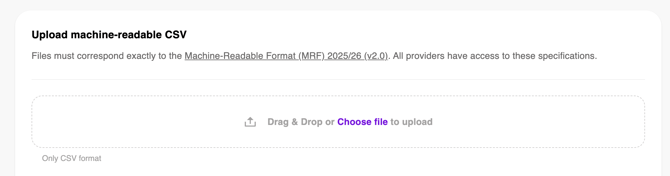
5. Upload or drag your MRF file into the designated field
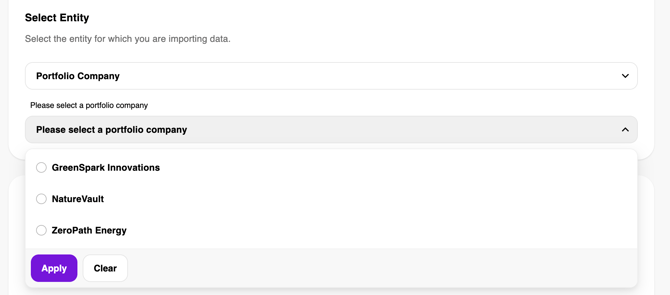
6. Select your entity (e.g., GP, Fund, or Portfolio Company)
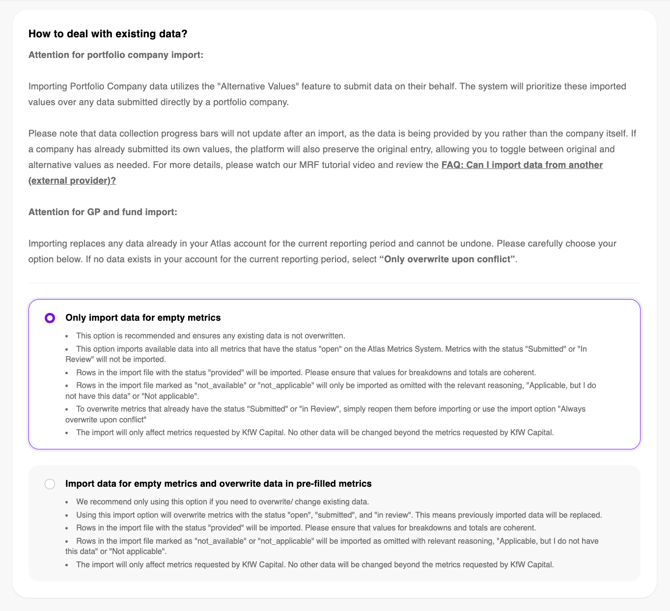
7. Choose how you want to handle existing data
- We recommend Only import data for empty metrics, as this will not overwrite any pre-filled metrics.
- If you select Import data for empty metrics and overwrite data in pre-filled metrics, any metrics that were already filled in will be overwritten, meaning that the previous answers will no longer be visible. We recommend using this in case you want to update/change previous answers.
8. Click on Start import.
Depending on whether your data import was successful, you will get directed to one of the following pages
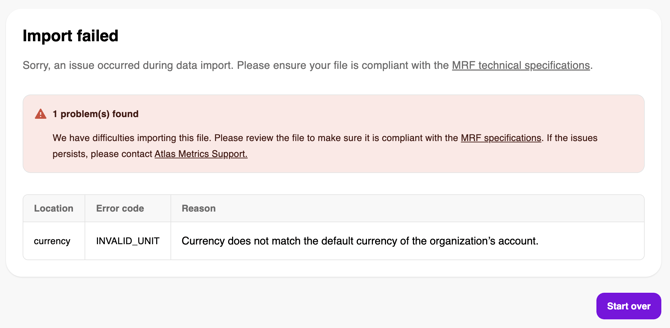
9.A Import failed
- Format: This is likely due to the format of the CVS file not being compliant with the MrF technical specification.
- Data Error: Review the related error code(s), update your data, and import the updated file again via the previous steps.
- If the error message does not provide specific feedback, please contact Atlas Customer Support.
9.B Data import complete with warnings
-
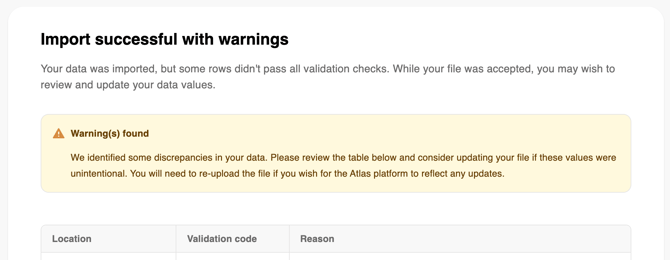
If the format of your file was correct, but there were errors within the data you uploaded you will receive the notification that your import was successful with warnings. In that case you should review the related error code(s), update your data, and import the updated file again via the previous steps.
9.C Successful Data Import
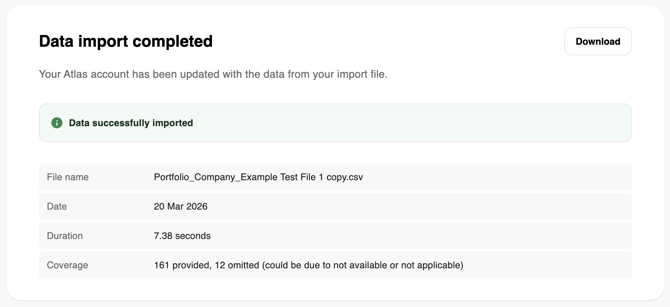
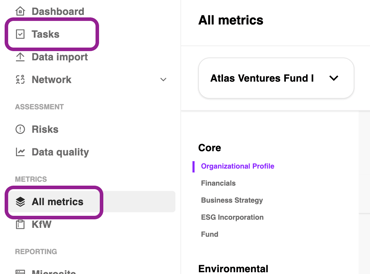 10. Once your data is uploaded, you can review it:
 - Option 1: Go to Tasks → Filter via Group → Select your GP or Fund level.
- Option 2: Go to All metrics → Select your Fund → Navigate to Core → Fund / or select your GP level → Review data.
Why are the progress bars still showing 0?
When using the MRF import to upload portfolio company data, the data is directly stored in your GP account. The completed and shared progress bar in the Network page, as well as the progress bar next to each fund on the Dashboard only refer to the data stored inside the portfolio company accounts. Therefore, when importing data via the MRF format, the completed and shared progress bar will not be affected.
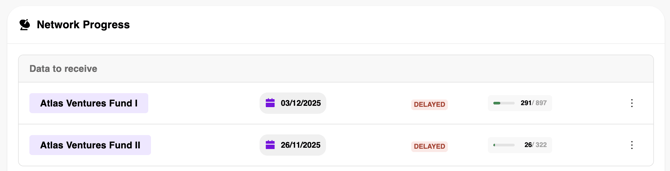
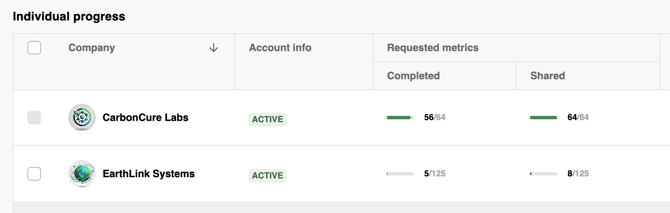
To view the data, you will have to click on individual metrics inside the All metrics or KfW tab on the toolbar.
For which portfolio companies can I import data as a GP?
If you are a GP uploading data for the entire portfolio, you can import data for all your portfolio companies.
How to review your portfolio:
- Navigate to Network
- Select Receive Data
- Click on the relevant Fund
Please note: if a portfolio company is already using the Atlas Metrics platform to report to multiple GPs, they will supply data directly to your account.
What happens if I import data for a portfolio company that also submitted via the Atlas platform?
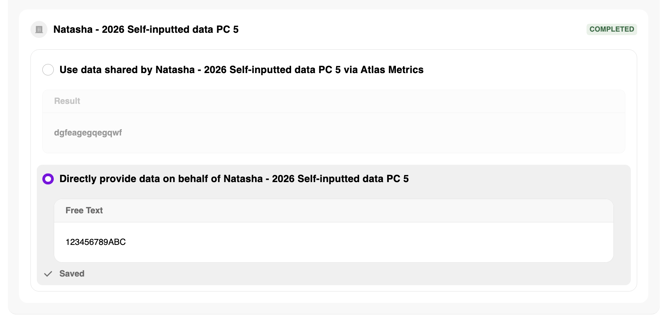
By default, the Atlas platform will prefer the data you imported over any data uploaded by your portfolio companies. You can change this via the following steps:
- Open the relevant metric
- Select the first option use data shared by
- Click submit.