![Novata_Logo_01_primary-2.png]](https://knowledge.novata.com/hs-fs/hubfs/Novata_Logo_01_primary-2.png?height=50&name=Novata_Logo_01_primary-2.png)
How to identify submission blockers
-
When you are ready to submit your report, select “Submit report.”

-
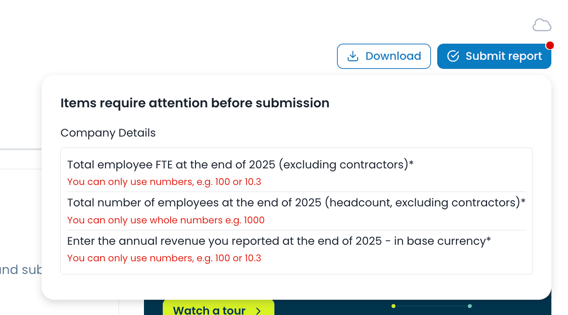
If a red dot appears above this button, it indicates that some items require attention before submission.
-
A pop-up will appear highlighting the outstanding items that must be completed. Outstanding information is written in red.
Common reasons preventing submission
1. Incomplete company information
A common blocker is missing company details, such as:
-
FTE (Full-Time Employees)
-
Number of employees
-
Annual revenue
How to fix:
-
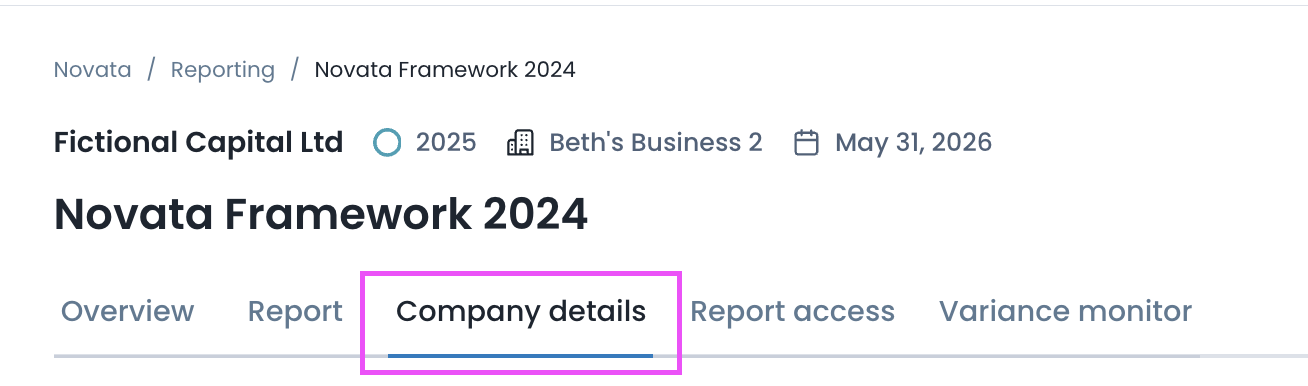
Navigate to the “Company details” tab
-
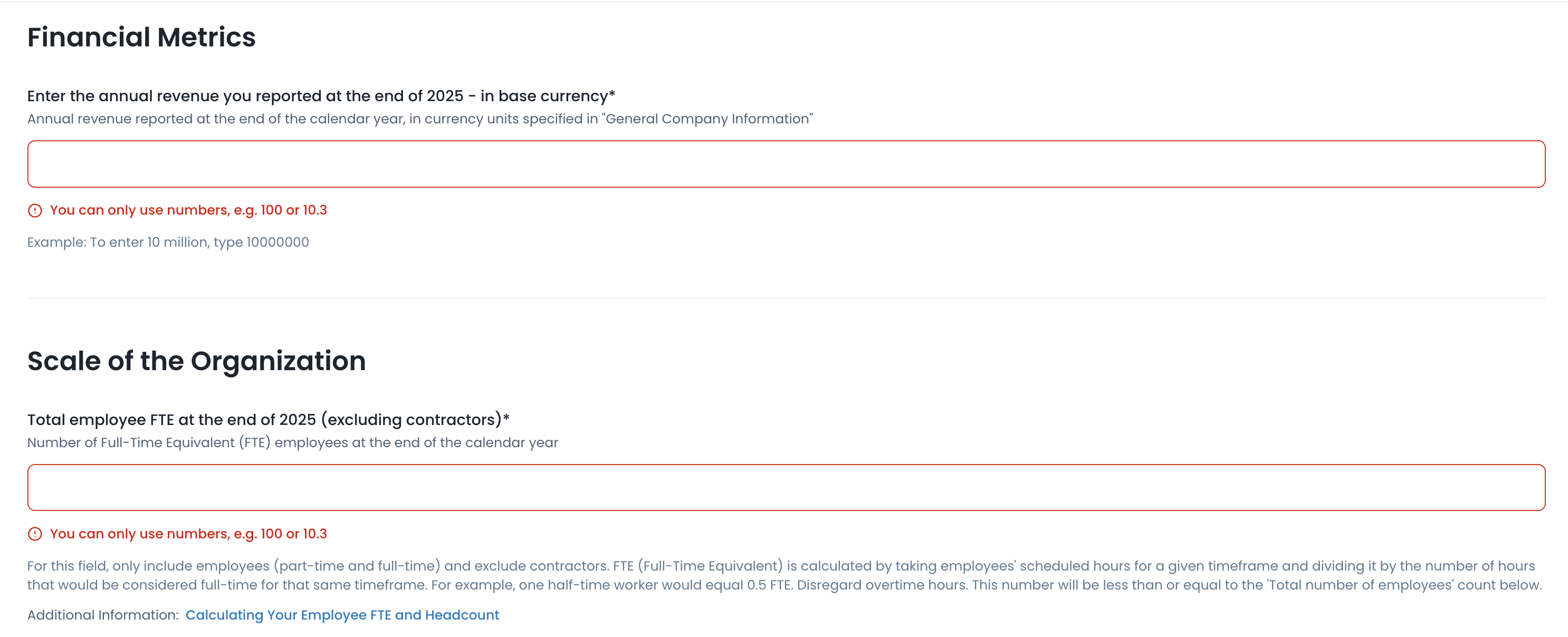
Complete all required fields (highlighted in red)
2. Incomplete mandatory metrics
Some metrics require a response before submission.
How to fix:
-
Return to the relevant metric(s)
-
Provide the required response, upload any files, and/or add supporting context where needed
3. Required uploads or additional context
Certain metrics may require file uploads or additional explanations.
How to fix:
-
Review the metric requirements carefully
-
Ensure all mandatory uploads and fields are completed
Optional: Opting out of a metric
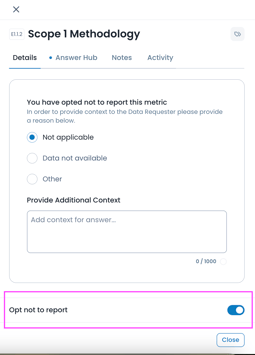
If you do not wish to report on a specific metric, you may have the option to opt out.
-
Use the "opt not to report" toggle next to the metric (if available)
-
Select a reason for opting out
For more details, refer to our Knowledge Base article on opting out of metrics.
Still need help?
-
Contact support@novata.com
-
Use the live chat feature
-
Browse the Knowledge Base for additional guidance